Toggle navigation
Knowledge Base
Login
Search Knowledge Base Articles
Search
Processing a refund
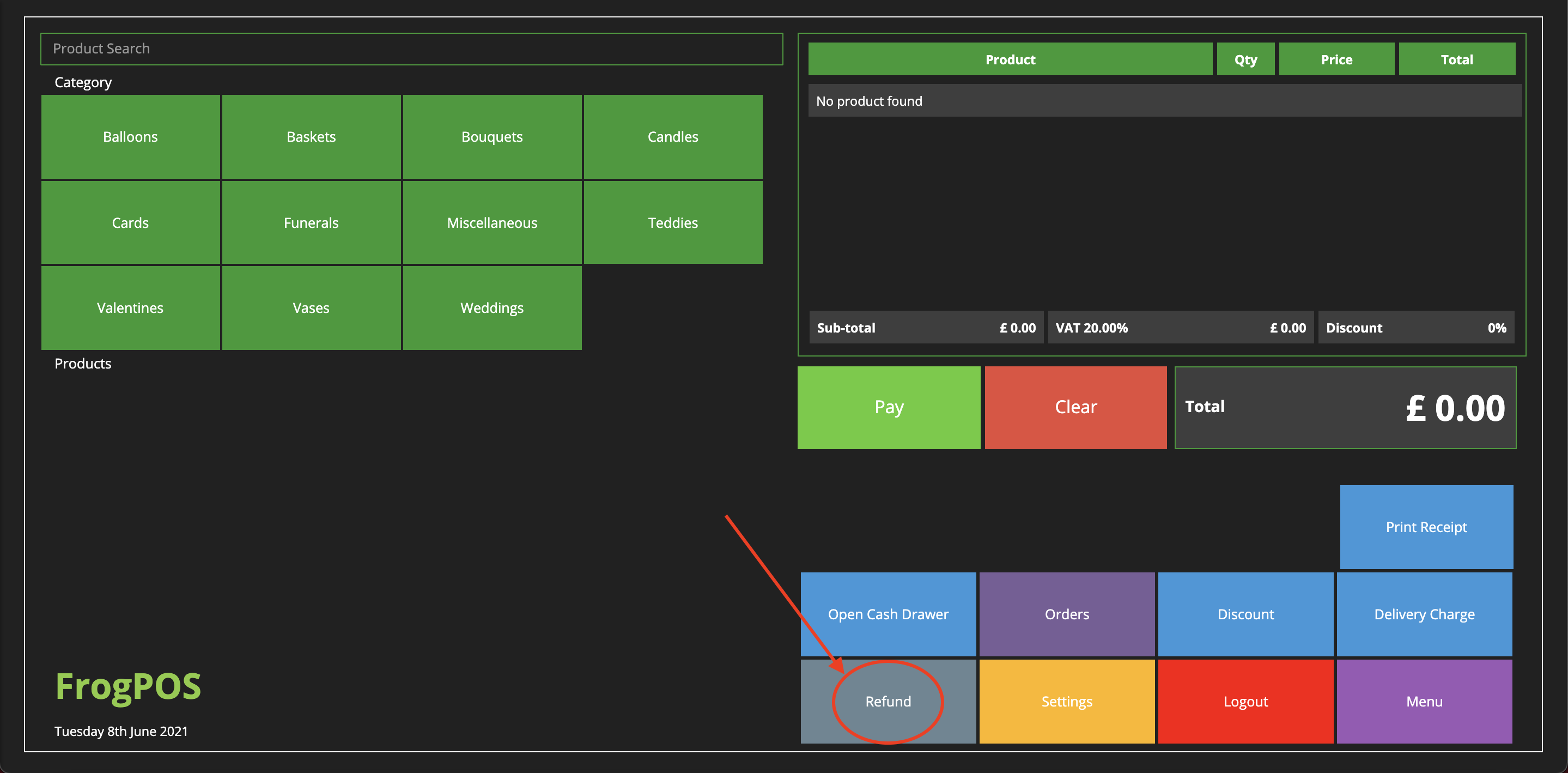
In the event a customer wished to recieve a refund, this can be done quicky and easily from the Frog POS.
Login to the FrogPOS and select the
Refund
option.
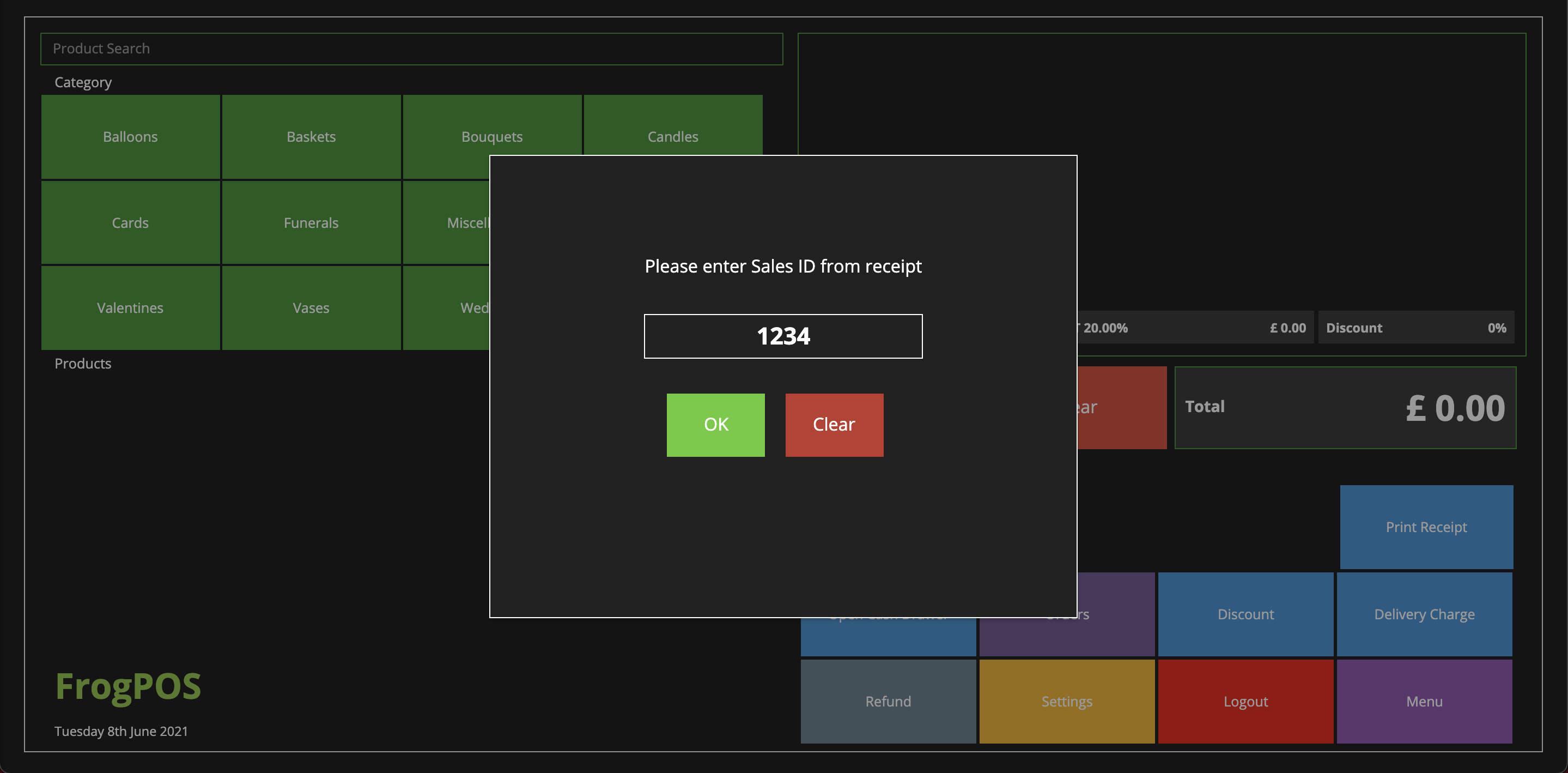
Next, type in the
SalesID
found on the receipt and click
OK.
Lastly, select the payment method that you will be refunding the customer.
Did you find this article useful?
Yes
No
Related Articles
Processing a Sale
The FrogPOS allows for quick and easy sales processing to serve your customers quickly and efficient...
Paying a To Pay order
To Pay is a feature that allows a customer to place an order and pay later on (for example if a cust...
Creating a Prepay Order
Creating a Prepay OrderThis guide will help you take a payment for an order that you wish to add int...
Adjusting your cash float
Adjusting your cash float.This guide will help you adjust your cash float when adding or removing ch...
Submitting your Payment Sense end of day banking
Submitting your Payment Sense end of day bankingThis report will help submit your end of day banking...